A mortgage brokerage I've built systems for pays for a scheduling seat per adviser. The seats do one thing we care about: when a lead books a call, the booking turns up in the CRM with the ad that caused it. That is the whole value. The slot picker itself is a commodity, and the brokerage's Google Workspace already includes one.
Two of the tools on this page pay me if you buy from them, and the arrangement is at the bottom in a table. The recipe itself is free, the code is public, and the saving is the point.
The booking page everyone already has
Every Google account, personal or Workspace, can create an appointment schedule: pick the hours, the length and the calendar to check for clashes, and Google publishes a booking page where strangers pick a slot. The event lands on your calendar, the guest gets an invite with reschedule and cancel links, and on the paid tiers there are automatic email reminders too. For a two-person practice it is Calendly with the price removed.
What you get depends on the account. A personal Google account or a Business Starter seat gets what Google's help page calls "a single booking page". Several pages per person, automatic reminders and checking more than one calendar for clashes need Business Standard or above, Workspace Individual, or Google One Premium; email verification and paid bookings need Workspace Individual or Business Standard; co-hosts and a schedule on a secondary calendar are Business Standard and up only. I run two pages, a ten-minute chat and a forty-minute conversation, which is one more than Starter allows.
So why does every small business I meet pay for a scheduler on top of it? Because when you try to wire Google's page into a CRM the way you wired Calendly, you hit three walls on the first afternoon.
There is no redirect. Calendly sends the visitor to your thank-you page after booking, and that page fires your conversion pixels and knows the UTM. Google's page shows its own confirmation and stops.
There is no prefill. With Calendly you append the visitor's name and email to the link, and they land on a form already filled in. Google's page starts blank every time.
There is no webhook. Calendly posts every booking to a URL you give it. Google's booking page tells nobody anything.
Three "no"s, and the honest reaction is to give up and keep paying, which is what nearly everyone does. I've written the three walls up on their own, with what each edition gets and the way round each one.
Stop asking the booking page to carry anything
The fix is to notice that the three walls all guard the same mistake: asking the slot picker to also be the lead capture, the attribution layer and the CRM feed. Those were never its job. They became its job because Calendly offered to do them, and a tool that offers is a tool you build around.
Take them back and the walls stop mattering.
Capture first. The visitor fills in a short form on a page you own: name, email, what kind of call, what they need. The page has already read the UTMs, the Google click id, the Meta click id and the landing URL from the address bar, and it remembers the first click for ninety days, so a visitor who comes back from a bookmark still carries the ad. The form posts to a small script, which writes the person into Capsule with an Attribution DataTag, opens an opportunity at New, and adds a note with the answers.
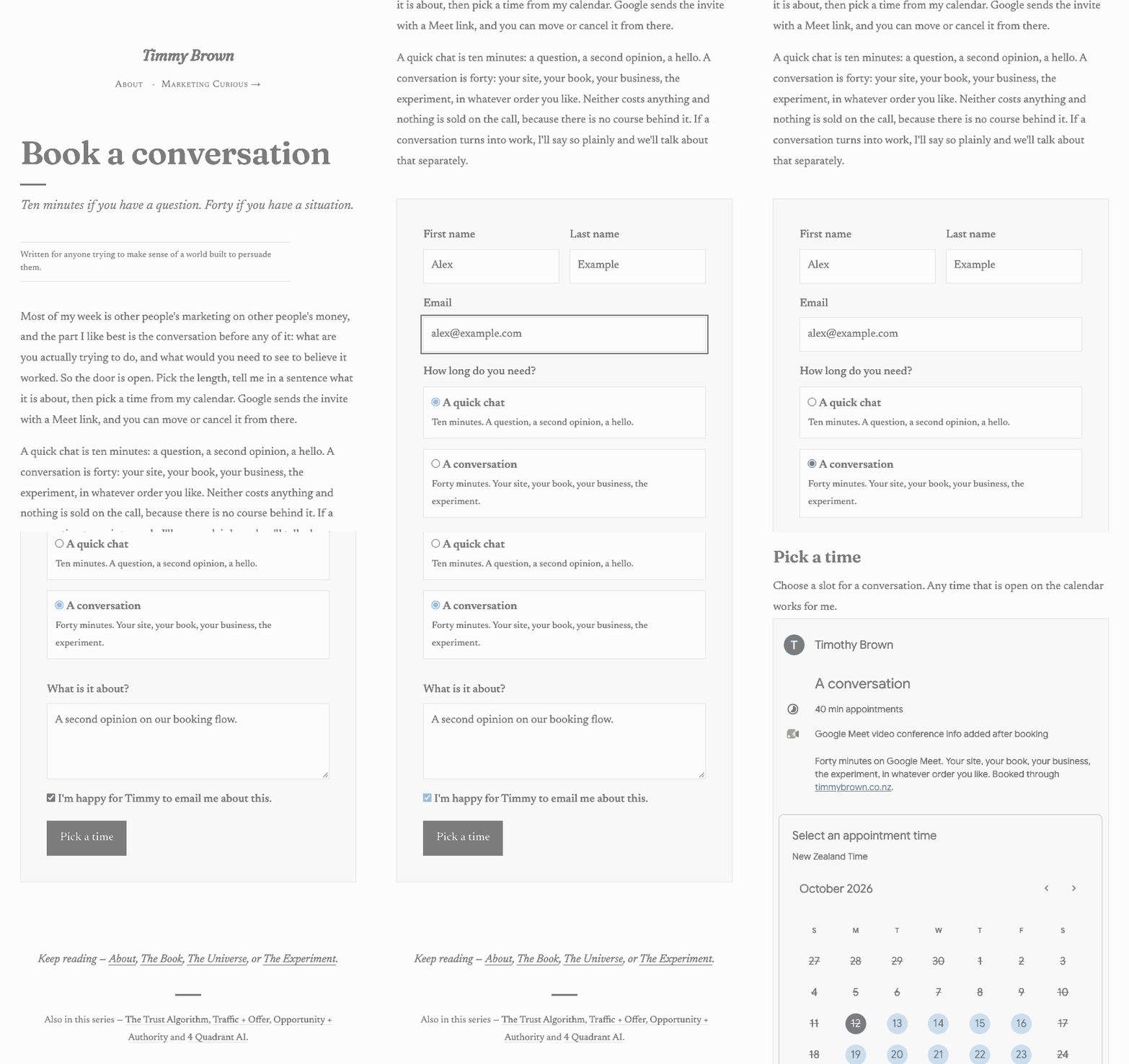
Then book. The page swaps the form for the Google booking page in a frame, and the visitor picks a slot. Yes, they type their name and email a second time, because Google cannot be prefilled. That is the one cost I would not pretend away. Some people will drop out there, and the job of a pilot is to count how many before anyone cancels a subscription on the strength of this page.
Then watch the calendar. Google will not tell you about the booking, but the calendar knows, and the Calendar API will tell anyone with access to the calendar what changed since they last asked. In my own account a Google Apps Script is woken by the calendar the moment an event changes, with a fifteen-minute timer behind it as a net. An event with an outside guest that it has not seen before is a booking: the opportunity moves to Meeting Booked, gets a booking:conversation or booking:quick tag, and a note records the time, the Meet link, the answers from Google's form and the event id. A cancelled event adds a booking:cancelled tag. A guest who booked from a stray direct link, skipping the form, still gets a Capsule record, tagged src:calendar-direct, which is the system telling you a link somewhere still points at Google instead of at your page.
On my site, measured on 12 October 2026 with a booking I made against myself, the opportunity was at Meeting Booked two seconds after Google confirmed the slot, and the cancellation tag arrived thirty seconds after I cancelled from the invite. For a team the same design runs as two n8n workflows: one answers the form and picks the host round-robin, the other polls every host's calendar every two minutes.
Conversions fire from the watcher, server side, within a minute or two, deduplicated on the event id. That is slower than a pixel on a thank-you page and better in every other way: it survives ad blockers, it happens once, and the Google click id is sitting on the person record for offline conversion uploads later.
Why this gap is nobody's
I kept expecting to find this already built. It is not, and the reasons are worth knowing because they are the same reasons a lot of useful small things never get built.
Capsule's marketplace has exactly one booking integration: Calendly, through a multi-step Zapier zap. Its list of automation platforms runs to Zapier, Make, Power Automate and a handful of others, and n8n is not on it. n8n, for its part, has no Capsule node that I can find. You call Capsule's REST API with the plain HTTP node, which is fine, and which also means nobody at either company has a reason to write the template.
The one CRM I found that does it natively is Kommo, which turns a booking on your main Google calendar into a lead at the top of its pipeline. One page per free Google account, main calendar only, and nothing in its documentation about where the lead came from, so the attribution is still yours to solve.
Calendly has no affiliate programme. Nobody is paid to write "how to replace Calendly", so the articles that exist are written by Calendly's competitors, who want you to pay them instead.
And Google's three "no"s stop the first attempt cold. The people with the problem try the obvious wiring, hit the walls, and conclude it cannot be done.
So it sits there. A free booking page in every Workspace account, a cheap CRM with a good API, a script engine Google gives away, and no recipe joining them.
What you give up
Be clear-eyed about the trade before you pull a team off a tool they know.
No SMS reminders. Google's reminders are email only, need the paid tiers, and the text cannot be edited.
The double entry on Google's form.
Google's branding on the booking page, and a Google URL in the frame. If the brand matters that much, the next step is your own slot picker on the same Calendar API, which is a few days of work, not a product.
Round-robin routing per meeting type, which is what the brokerage needed. It is in the team version and not in the solo one.
A short lag between the booking and the CRM knowing. Two seconds on my account with the calendar trigger, up to two minutes on the polling version. For a sales team that calls back the moment a booking lands, that is fine. For a page that needs to show something personal the instant they finish, it is not.
If any of those is a deal-breaker, keep the scheduler and use only the Capsule half. The watcher does not care what put the event on the calendar.
What it costs
Nothing new for one person. Workspace is already paid for, Apps Script is free, and Capsule's API comes with the plan you are on. Capsule's pricing page does not say which plans include the API; its developer documentation says the Free plan does, and Free is 250 contacts, five custom fields, one pipeline and two users, so on Free keep the attribution in the note and skip the DataTag. A team adds n8n, whose smallest cloud plan runs both workflows with most of its capacity unused, and a self-hosted n8n is free. The saving is the scheduler's seats, which for a team of advisers adds up to more than the CRM costs.
The honest edition note: on Business Starter each person gets one booking page and no reminders. Several pages per person and automatic reminders need Business Standard. The brokerage expected to upgrade, and the uplift was still well under the scheduler bill.
If your emails come from Transpond
Transpond is Capsule's email tool, and the question I get from people who use it is where the booking link in an email should point. Point it at your own /book/ page, never at Google's URL, so the first click is captured the same way an ad click is, and append the campaign to the link so the Attribution DataTag records it. From there the recipe is the same: the booking lands, the opportunity moves.
The follow-up runs from Capsule, not Transpond. Capsule's own workflow automation, on the Growth plan and above, triggers when an opportunity reaches a milestone, and Meeting Booked is a milestone, so the prep email, the task for the host and the track of things to do before the call all hang off that one move. Transpond's automations can start when something happens in Capsule too, and its documentation gives a won opportunity and a closed project as the examples; I have not found a published list of every event it offers, so look in the dropdown before you build on one.
The recipe
Everything is in a public repository, in two sizes. For one person there is a Google Apps Script: one file you paste into your own Google account, where it reads your calendar without any OAuth setup, calls Capsule, and is woken by Google the moment the calendar changes. Nothing to host, nothing to subscribe to. For a team there are two n8n workflows as importable JSON with the setup written on sticky notes inside them, which add round-robin routing across hosts. Both come with a plain HTML and JavaScript booking page with no framework, the Capsule schema, and a lesson plan with a check at every step. Its README links to Capsule and n8n through the same disclosure pages as this site, with the same commission note, and it is MIT licensed.
The solo version has run on my own site since 12 October 2026, and the numbers above are from it. The team version is built from the same design and has not yet been through a production pilot; the lesson plan says which checks prove it.
The code is Capsule-shaped but the design is not. Swap the handful of Capsule calls for any CRM that can find a person by email, create one, open a deal, move its stage and add a note, and the Google side and the form stay the same.
Build the shelf in Capsule first, make one booking page, paste the script, book a slot with yourself, cancel it, and watch the CRM tell the story. Then pilot one host for a week with the old scheduler left running as a net, re-point every link to your own page, and turn the old tool off when the net has caught nothing for a fortnight.
The repository is at github.com/marketer-timmy/capsule-google-booking.
What each one pays me
Status as of 12 October 2026. Everything the recipe needs beyond what you already own is free, so the table is short.
| Tool | What its programme pays | My status |
|---|---|---|
| Google Apps Script | Free, no programme | No link |
| n8n (the team track only) | 30% of the subscription for the first year, cloud plans only | Live |
| Capsule | 20% rising to 30% of every payment, for the life of the customer | Live |
| Transpond (Capsule's email tool, optional here) | The same terms as Capsule | Live |
| Google Workspace | A referral programme exists for people who refer a hundred or more users a year | Not applied |
| Calendly | No affiliate programme | No link |
The two that pay are the two the recipe runs on, which is the usual shape of these pages and the reason the table is here. The test is whether you would do this without them. A free booking page, a CRM you already have, and a script engine that costs nothing: I would.
Sources: Google Calendar Help, "Learn about appointment schedules" and "Compare premium features for appointment schedules", and the Google Calendar API guide to push notifications; Capsule's integration marketplace, pricing page, partner programme, workflow automation guide, Transpond integration guide and developer documentation; Kommo's Google Calendar integration guide; n8n's affiliate and creator pages. All read 12 October 2026. The timings are from my own account on the same day.